
Team accounts
Need to manage website screenshots together with your team? With Team Accounts, you can invite colleagues who share the same webpages and screenshots as you. It's a great fit for teams that monitor and archive websites together.
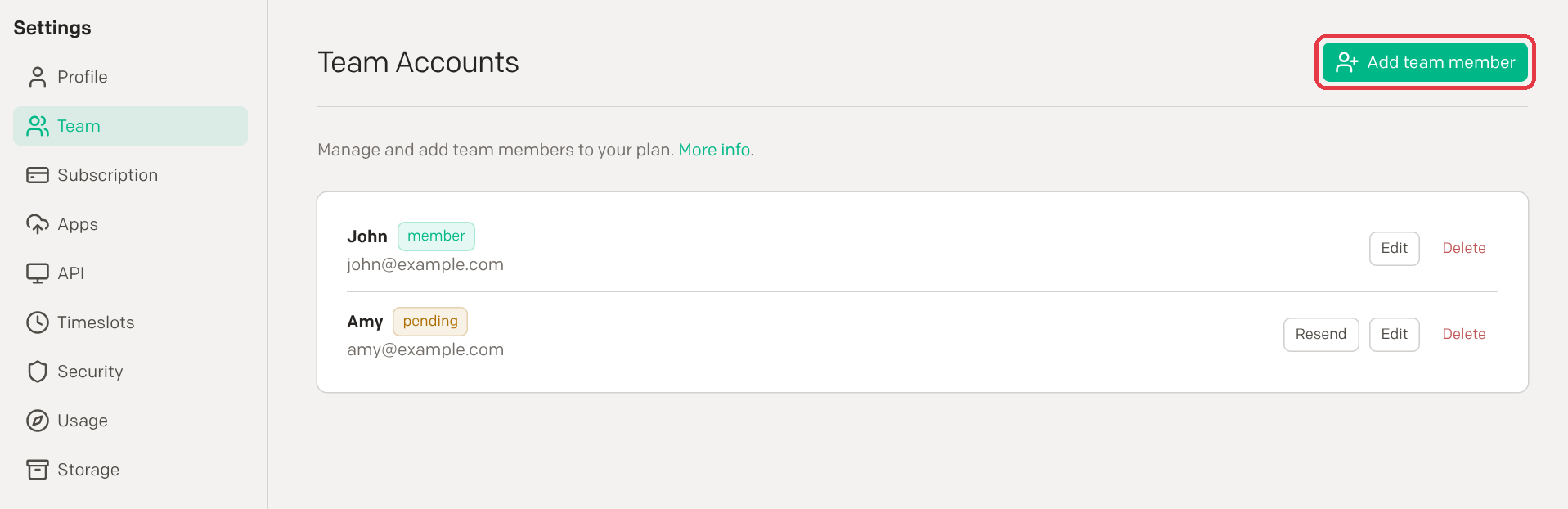
Ready to start? Go to Settings > Team and click Add team member.
Roles in Team Accounts
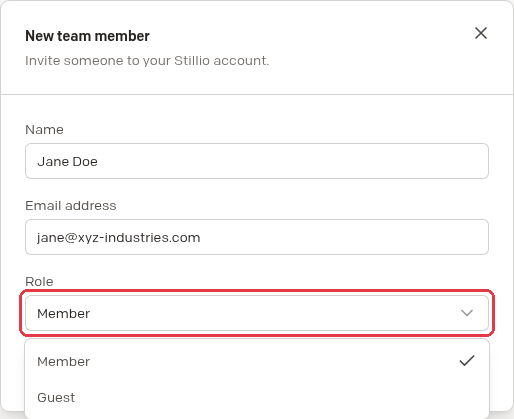
Enter a name and an email address, then choose a role. Stillio emails the invitation, and you can resend it from the team list while it's pending.
1. Owner
- Manages the team account
- Controls payments and invoices
- Has full account management privileges
- Can transfer ownership to another team member. You then become a restricted member and need to sign in again.
2. Member
- Manages webpages within the team account
3. Guest
- Has view-only access to webpages and screenshots
Action log in Team Accounts
Who changed what, and when? The Action log on the Team page keeps a record of the activity in your team account, such as adding, deleting or changing webpages, including who did it and when. It keeps everyone on the same page and makes teamwork more transparent.

Pricing
Team Accounts are an add-on at $15 per team member per month. Adding a team member shows this price before you confirm.