
Download a CSV of all webpages in your account
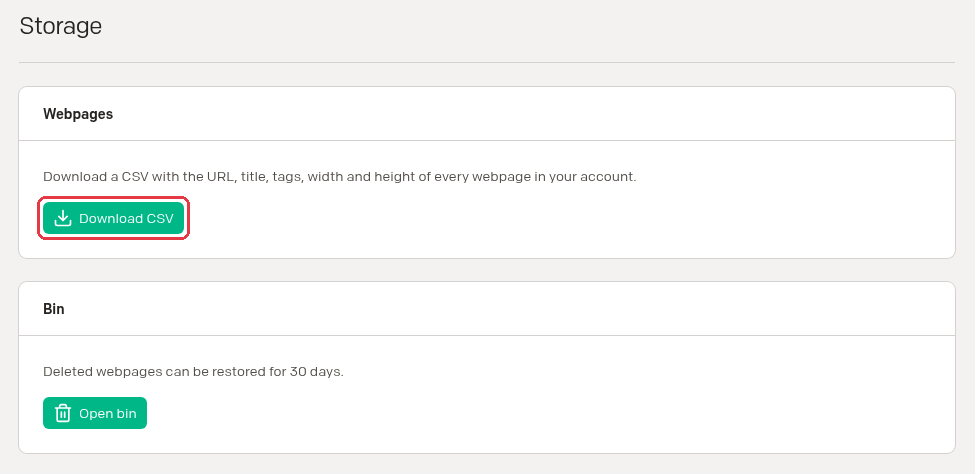
Want a list of every webpage Stillio takes screenshots of? On the Storage page in your settings, you can download a CSV file with all webpages in your account.
This is handy if you want to:
- Archive an overview of the webpages you monitor.
- Compare the webpages in Stillio with your own internal systems, so you can check that every URL you need is being monitored, and nothing you no longer need is.
How to download the CSV
- Log in to Stillio.
- Click your avatar in the top right corner and choose Your Settings.
- In the menu on the left, click Storage.
- Under Webpages, click Download CSV.
Your browser saves the file as stillio-urls.csv .
What's in the CSV
The file has one row per webpage in your account, with these columns:
| Column | What it contains |
|---|---|
url |
The URL of the webpage |
title |
The title of the webpage in Stillio |
tags |
The tags you added to the webpage |
width |
The screenshot width in pixels |
height |
The screenshot height in pixels, or empty for full height |
What an empty height means
If the height column is empty, the webpage is set to full height (the default). Stillio takes a full-page screenshot that covers the whole length of the page.
If the height column has a number, such as 2000 , the webpage is set to a fixed height. Stillio takes the screenshot at exactly that height in pixels.
Example
url,title,tags,width,height
https://www.stillio.com,www.stillio.com,,1280,
https://www.stillio.com/features,www.stillio.com/features,,1280,2000
In this example, https://www.stillio.com is set to full height, so Stillio takes a full-page screenshot. https://www.stillio.com/features is set to a fixed height of 2000 pixels.
You can open the file in Excel, Google Sheets, Numbers, or any other spreadsheet app, or import it into your own tools.